Knowii Community
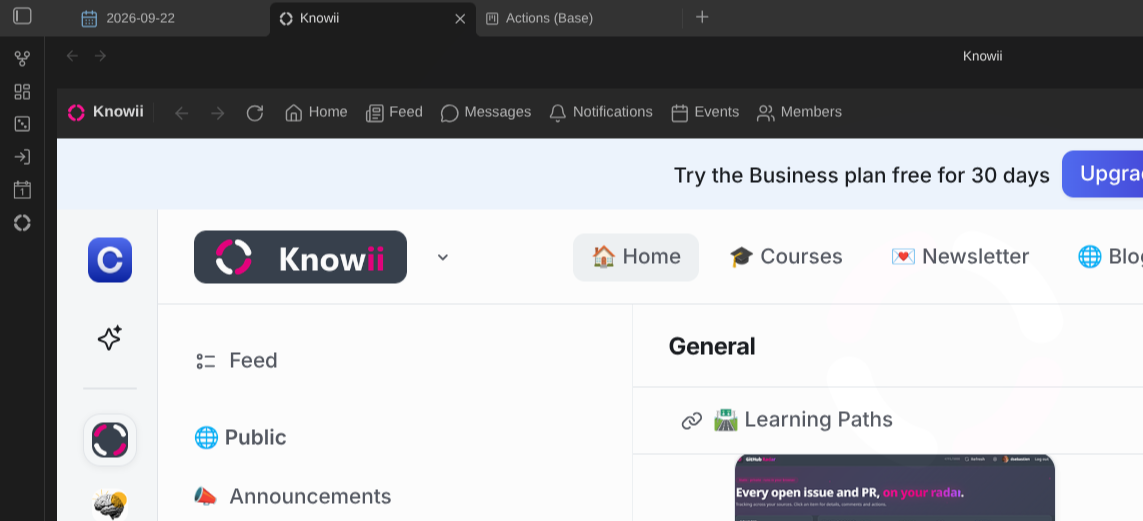
Take part in the Knowii community without leaving your vault. The plugin opens the community in a pane inside Obsidian (feed, spaces, questions, direct messages and events, right next to your notes) and tells you when something happens there.
Key features
- The whole community in a pane, as a main tab or docked in a sidebar
- Sign in once; the pane remembers you across restarts
- A toolbar with navigation and shortcuts to the feed, messages, notifications, events and members
- Commands for the palette and hotkeys
- Reopens the page you were on
- Zoom for narrow sidebars
- Notifications for new messages, replies, mentions, posts, comments and more: notices in Obsidian and system notifications, each kind switchable
- Watches every space you belong to, not only what Knowii notifies you about
- Unread counts in the status bar and on the ribbon icon
- A “what’s new” inbox: unread in bold, searchable, mark as read and archive (on Knowii too), keyboard triage
- Save any post or chat thread as a note; ask the community from a selection or a note; reply to direct messages without opening Knowii
- Upcoming events, with a reminder before those you attend
Quick start
- Install the plugin from the community plugin directory and enable it
- Click the Knowii icon in the ribbon, or run Open Knowii
- Sign in with your Knowii account
- That’s it: new activity now shows up as notifications, and Show what’s new in Knowii (or a right-click on the ribbon icon) lists what you missed
About
Created by Sébastien Dubois.
News & support
To stay up to date about this plugin, Obsidian in general, Personal Knowledge Management and note-taking:
- Subscribe to my newsletter
- Subscribe to my YouTube channel
- Join the Knowii community and learn to organize your notes and put your knowledge to work, together with fellow knowledge workers
If this plugin is useful to you, here are the best ways to support my work ❤️: